
Parallel Space - app cloning
LBE TechPersonalization
4.135.72K Reviews
- Version
- 4.0.9614
- Installs
- 100.00M
- Age Rating
- Everyone
Screenshots
Our Review of Parallel Space - app cloning
 Analysis by Appyee
I find app cloners most useful when signing out of one account has become a regular chore. That is the decision to make with Parallel Space: do you need two app sessions available side by side, or would a built-in account switcher, a work profile, or simply using a second device be less hassle? LBE Tech’s personalization app is designed for the first situation, creating a separate space for selected apps rather than changing how those apps work. It is free to install, rated for Everyone, and has an average rating of 4.1 from around 5.1 million ratings, so it is a widely used option—but broad popularity does not guarantee every app or phone will behave the same way.
Start with the account problem you actually have
Before cloning anything, I’d ask how often I need the second account and what I need it for. A person who checks a personal and a work messaging account throughout the day may appreciate having both accessible without repeatedly signing out. Someone who only switches accounts once in a while may be better served by the app’s own account menu, if it has one. The less often you switch, the less value a separate cloned setup is likely to add.
It also helps to distinguish convenience from separation. A clone gives you another route into an app, but it is not the same as having two phones or a fully separate user profile. I would not treat it as a way to guarantee that work and personal activity can never overlap. For routine account juggling, that distinction may not matter; for sensitive work, shared devices, or strict boundaries, it should influence the choice.
The use case I find easiest to picture is a small business owner who handles customer messages on a personal phone. During the day, they can keep the customer-facing account available alongside their personal one, then check which account is open before replying. That can reduce accidental sign-outs and missed messages. It still takes ordinary care: a clone does not decide which account should receive a message, and notifications or account behavior should be tested before relying on them for time-critical communication.
What is Parallel Space?
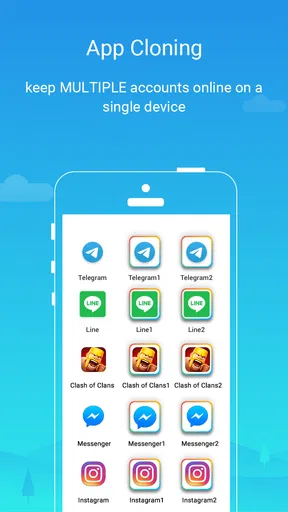
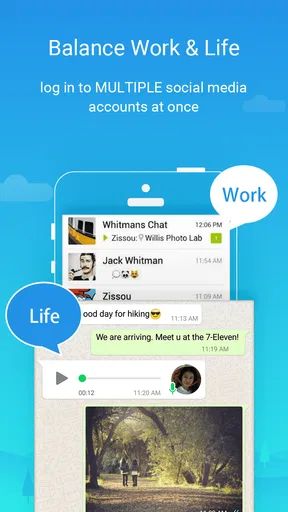
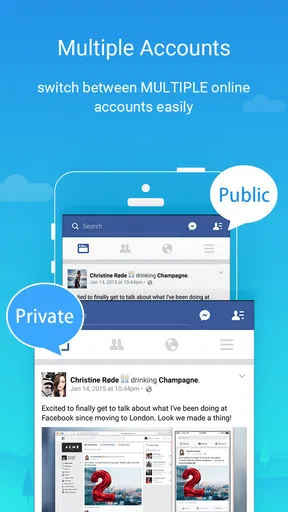
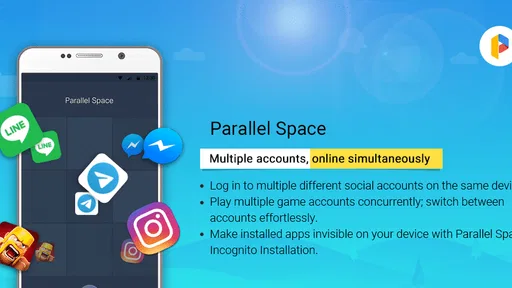
In a nutshell, Parallel Space is an app that allows you to clone and run multiple instances of the same app on your phone. Whether you want to keep your work and personal accounts separate or simply want to play multiple game accounts without constant logging in and out, this app has got you covered.
Getting Started
The installation process is straightforward. After downloading from the Play Store, you open it up, and it walks you through the setup. What struck me first was how intuitive the interface is. You don't need to be a tech wizard to navigate through it.
Once installed, you’re greeted with a clean home screen that features options to clone apps. Simply tap on the ‘+’ button, and you can start selecting the apps you want to clone. Easy peasy!
Features That Stand Out
The app offers a simple yet powerful way to manage multiple accounts. One of my favorite features is the ability to customize the cloned apps. You can change the icon and label, making it easier to differentiate between the original and the clone.
Security is another big plus. Parallel Space offers an Incognito Installation feature, keeping your cloned apps private and secure from prying eyes. You can even set a password to access your Parallel Space, ensuring that only you can peek into your virtual world.
Performance and Usability
Using Parallel Space is like a breath of fresh air. I didn’t notice any significant performance lag, which is a common issue in similar apps. It runs smoothly, even with multiple apps open. This is particularly impressive given the app's lightweight design.
The only hiccup I experienced was with battery consumption. Running multiple instances naturally takes a toll on battery life, so make sure you have a charger handy if you're planning to use it extensively.
Customization and Personalization
If you’re someone who loves to tweak and personalize, you’ll appreciate the array of customization options. You can change the theme colors, and there’s even a dark mode for night owls like me. They’ve really thought about user experience here, ensuring it’s both functional and aesthetically pleasing.
These visual choices are more useful than they first sound when you open both versions throughout a busy day. I’d give the clone a distinct label that describes its purpose, such as “customers” or “second account,” rather than relying on memory or a subtle icon difference. That small habit lowers the chance of posting or replying from the wrong profile. If you later stop using the second account, remove its clone deliberately and check that you can still access the original account normally before assuming your setup is unchanged.
Compatibility
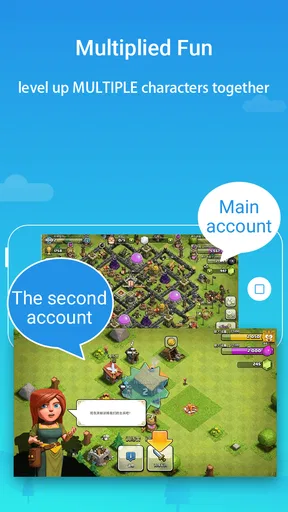
Parallel Space supports a wide range of apps, from social media platforms like WhatsApp and Facebook to games like Clash of Clans and PUBG. However, it’s always a good idea to check compatibility with your specific device and apps, as some users have reported issues with certain apps.
Compatibility is not just a question of whether an app appears in the selection screen. The practical test is whether the second session can sign in, stay signed in, receive the alerts you need, and keep working after you close and reopen it. I’d test those basics with a low-stakes account first. If the clone is meant for messaging, send a test message from another device; if it is for a game, make sure you can return to the intended account without disrupting the original. This is more useful than discovering a limitation during a busy moment.
There is also a trade-off between having both accounts ready and keeping the phone simple. Every additional copy can mean another place to check for notifications, another sign-in state to maintain, and more activity for the device to handle. I would clone only the apps that solve a real recurring problem, not every app just because the option is available. That keeps the home screen easier to understand and makes troubleshooting less confusing.
How it compares with other ways to separate accounts
Compared with an app’s built-in account switcher, Parallel Space is most appealing when you want both sessions accessible without repeatedly changing the active login. A built-in switcher is usually the cleaner choice when it already handles your accounts reliably: it avoids maintaining a separate clone and may be simpler to explain to someone else using the phone. The deciding question is whether switching is genuinely interrupting your routine or merely feels inconvenient.
Device-level work profiles or separate user spaces can be a better fit when your priority is broader separation between work and personal use. They may make more sense for someone who wants a clearer boundary across many apps, not just two copies of one or two. By contrast, Parallel Space is a focused option for selected apps on one device. A second physical phone is the most straightforward separation, but it also means carrying and maintaining another device; that is hard to justify if all you need is occasional access to another account.
Games deserve a little extra caution. A second instance may suit someone who wants to keep separate game accounts available, but it does not remove the game’s own login rules or guarantee that every title will support the arrangement. If your only goal is switching characters or profiles inside a game, check whether the game already provides that option before adding another layer. I would not choose a cloning app on the assumption that it bypasses restrictions or makes an unsupported setup reliable.
Small checks that make daily use less frustrating
My most practical tip is to set up the clone when you have time to troubleshoot, not right before you need it. Sign in, close and reopen it, and confirm that the original app still opens the account you expect. Then check which version sends the notifications you rely on. This short trial helps expose the most common kind of confusion: the second account works when open, but the user has not yet learned which copy is responsible for a particular alert.
For battery-conscious use, I would start with one clone and observe how the phone behaves during a normal day before adding more. The app can make parallel access convenient, but running extra app sessions is not cost-free, and the original review’s battery caution is worth taking seriously. If battery life is already a daily concern, or the phone feels strained with your usual apps, an account switcher or a less demanding workflow may be preferable.
Privacy features also need sensible expectations. The password option and Incognito Installation can help keep access to the separate space less obvious or less casual, but I would not treat them as a substitute for securing the phone itself or protecting account credentials. If other people can use your unlocked device, test what they can see before storing sensitive accounts there. A label that makes a clone easy for you to recognize may also make its purpose obvious to someone else, so choose names with your own privacy needs in mind.
Performance and Usability
Using Parallel Space is like a breath of fresh air. I didn’t notice any significant performance lag, which is a common issue in similar apps. It runs smoothly, even with multiple apps open. This is particularly impressive given the app's lightweight design.
The only hiccup I experienced was with battery consumption. Running multiple instances naturally takes a toll on battery life, so make sure you have a charger handy if you're planning to use it extensively.
My experience is only a starting point, not a guarantee for every device. If a particular clone opens slowly, fails to retain a session, or behaves differently from its original, I would first remove unnecessary cloned apps and retest that one account. If the problem remains, it may be a compatibility issue rather than something a settings tweak will solve. For important accounts, keeping a reliable fallback sign-in method is sensible until you know the clone works consistently.
Who should choose it, and who should skip it
I’d recommend trying Parallel Space if you regularly need two accounts in a supported app and prefer keeping them available on one phone. It is especially suited to people who can clearly name the two roles—personal and customer-facing, for example—and are willing to check which session they are using. LBE Tech has maintained a substantial audience for the app: it has over 100 million installs, and its current version is 4.0.9553. Those details show its reach and release state, but the useful test is still whether your own essential app behaves properly.
I would skip it if your apps already handle multiple accounts neatly, if you rarely switch, or if you need strong device-wide separation for confidential work. I’d also be cautious on a phone where battery life or available resources are already tight. The app is free to install, with in-app purchases ranging from $0.99 to $9.99 per item, so I would first decide whether the core workflow solves your problem before spending anything. It is rated for Everyone, but that age rating does not change the need to protect private accounts on a shared device.
There is a modest switching cost if you later decide the setup is not for you: you may need to sign back into the original app, identify which account was used in each copy, and tidy up the clone. To avoid a messy reversal, note which login belongs to which version before moving important activity there. I would not make a cloned session the only route to an account until I had confirmed that I could sign in through the original app as well.
Final Thoughts
Overall, Parallel Space is a fantastic tool for anyone looking to manage multiple accounts on a single device. It's user-friendly, secure, and offers a level of customization that makes it stand out from the crowd.
Whether you’re a social media manager juggling multiple accounts or a gaming enthusiast wanting to maximize your gameplay, Parallel Space is definitely worth checking out. Just remember to keep an eye on your battery!
For me, the recommendation is conditional rather than universal: use it when a second session saves you repeated sign-ins and you have tested the apps that matter. Prefer an app’s built-in switching when that already does the job, and choose a broader work profile or separate device when account separation matters more than convenience. That is the fairest way to judge a cloning app: it should remove a real daily annoyance without creating a harder one around battery, notifications, or account confusion.
Ready to give it a try? You can find Parallel Space on the Play Store and start cloning your favorite apps today. Happy cloning!
Verdict
Strengths of Parallel Space - app cloning
- Easily clone and manage multiple accounts.
- User-friendly interface for easy navigation.
- Supports a wide range of popular apps.
- Lightweight with minimal impact on device.
- Customizable themes for a personalized look.
Limitations of Parallel Space - app cloning
- Contains ads that can be intrusive.
- Some features require in-app purchases.
- Occasional glitches with certain apps.
- Consumes additional battery resources.
- May slow down device performance.
Similar Picks in This Category
View All
Microsoft SwiftKey AI Keyboard
SwiftKey4.3

Wallpapers
Google LLC4.1

Zedge™ Wallpapers & Ringtones
Zedge4.7

Yandex Browser with Alice AI
Direct Cursus Computer Systems Trading LLC4.3

Ringtone Maker:create ringtone
Big Bang Inc.4.7

Fonts Keyboard
Fonts Keyboard3.9
Frequently Asked Questions
What is Parallel Space, and how does it work?
Parallel Space is an app that allows users to clone and run multiple accounts of the same app simultaneously on one device. It creates a separate, parallel environment where cloned apps can function independently, allowing you to maintain multiple social media or gaming accounts without needing multiple devices.
Is Parallel Space safe to use on my device?
Yes, Parallel Space is generally safe to use. It doesn’t require users to root their devices, which reduces security risks. However, as with any app, it’s crucial to download it from a trusted source like the Google Play Store or the Apple App Store to avoid malware or fake versions.
Does using Parallel Space affect my device’s performance?
Running multiple apps simultaneously can consume more RAM and battery, potentially slowing down your device. Parallel Space is optimized to minimize resource use, but the performance impact may vary depending on your device's specifications. It's advisable to monitor your device's performance when using the app extensively.
Can I clone any app with Parallel Space?
Parallel Space supports cloning most popular apps, including social media and gaming applications. However, some apps may have restrictions or security measures that prevent cloning. It's best to check if your desired app is supported by experimenting within the Parallel Space environment.
Are there any costs associated with using Parallel Space?
Parallel Space offers a free version with basic features. However, it includes ads, which some users may find intrusive. For an ad-free experience and additional features, there’s a premium version available through in-app purchases. Pricing details are accessible within the app itself.
